
This topic describes Data Bridge privilege groups, privileges, and their functions. The privilege groups and privileges are available by default in Data Bridge Admin Console at https://[host]/nexj/Admin.html in the Privilege Groups tab.
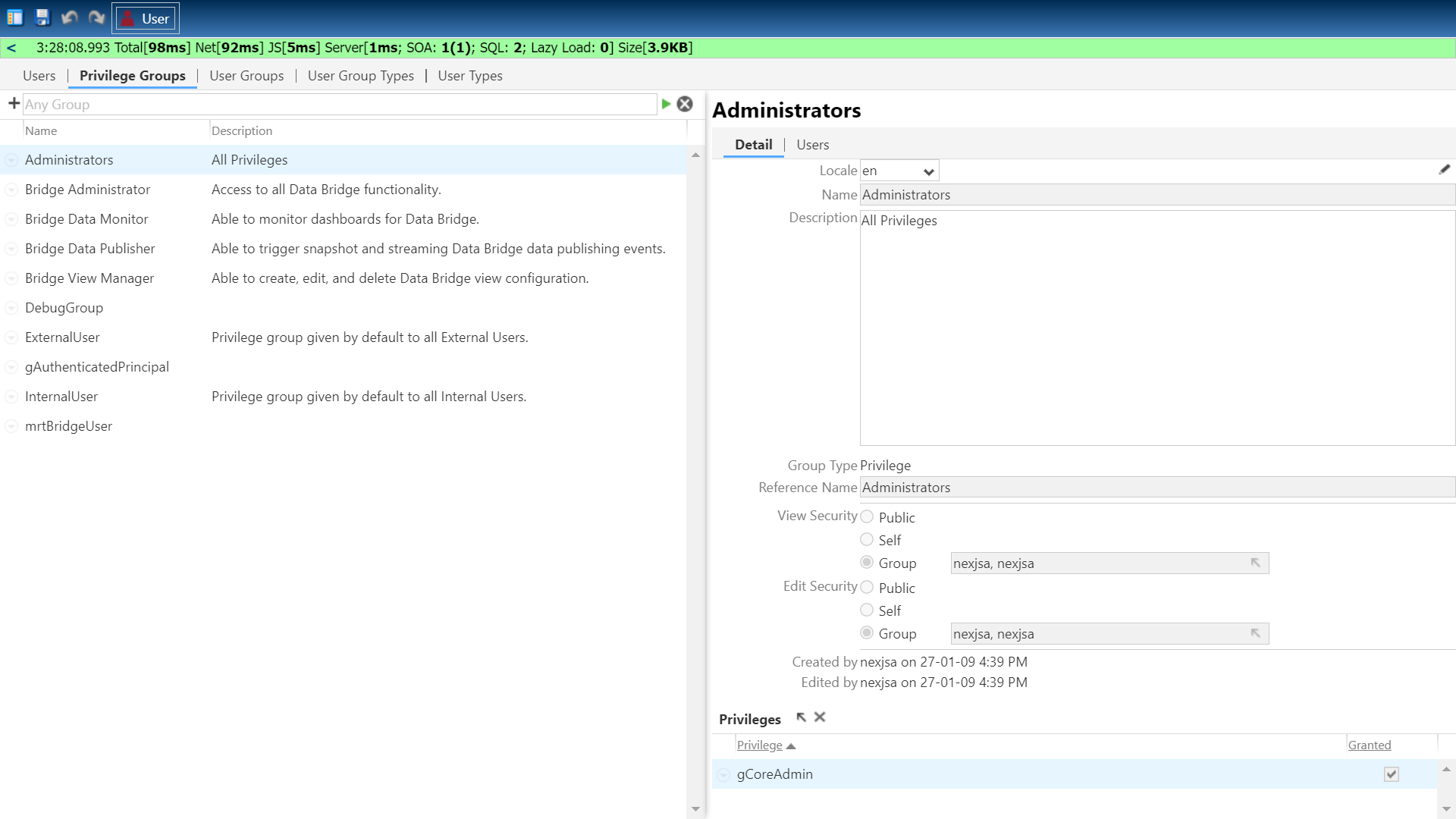
The following privilege groups are available, and are listed below in the order of decreasing authority:
|
# |
Privilege Group |
Description |
|---|---|---|
|
1 |
Bridge Administrator |
Has access to all Data Bridge functionality. |
|
2 |
Bridge View Manager |
Able to create, edit, and delete view configuration. |
|
3 |
Bridge Data Publisher |
Able to configure Publishing Targets, trigger snapshot and streaming data publishing events. |
|
4 |
Bridge Data Monitor |
Has read-only access to all Data Bridge workspaces. |
The following table shows the mapping of functions to privilege groups and privilege names:
|
Function |
Bridge Administrator |
Bridge View Manager |
Bridge Data Publisher |
Bridge Data Monitor |
Privilege Name |
|---|---|---|---|---|---|
|
Access Data Bridge workspaces |
Yes |
Yes |
Yes |
Yes |
brg:BridgeUser |
|
Read data from the NexJ CRM connection |
Yes |
Yes |
Yes |
No |
brg:CRMRead |
|
Create, edit, and delete view definitions |
Yes |
Yes |
No |
No |
brg:ViewUpdate |
|
Import a view definition |
Yes |
Yes |
No |
No |
brg:ViewUpdate |
|
Export a view definition |
Yes |
Yes |
Yes |
Yes |
brg:ViewRead |
|
Modify publishing options |
Yes |
Yes |
Yes |
No |
brg:PublishingUpdate |
|
Create, edit, and delete Publishing Targets |
Yes |
Yes |
Yes |
No |
brg:PublishingUpdate |
|
Configure Publishing Targets mappings for Views |
Yes |
Yes |
Yes |
No |
brg:PublishingUpdate |
|
Read-only access to Publishing Target details |
Yes |
Yes |
Yes |
Yes |
brg:ViewRead |
|
Publish view snapshots |
Yes |
Yes |
Yes |
No |
brg:PublishingExport |
|
Read-only access to views (all tabs) |
Yes |
Yes |
Yes |
Yes |
brg:ViewRead |
|
Refresh Preview data and count |
Yes |
Yes |
Yes |
No |
brg:CRMRead |
|
Export view Schema |
Yes |
Yes |
Yes |
Yes |
brg:ViewRead |
|
Access the Monitoring Dashboard and statistics (read-only) |
Yes |
Yes |
Yes |
Yes |
brg:Monitoring |
|
Access the Global Settings workspace (read-only) |
Yes |
Yes |
Yes |
Yes |
brg:ViewRead |
|
Update the Global Settings workspace (for example, for delimited file formatting) |
Yes |
No |
No |
No |
brg:BridgeAdmin |
|
Load CRM metadata |
Yes |
No |
No |
No |
brg:BridgeAdmin |
|
Create new users |
Yes |
No |
No |
No |
All users with access to Data Bridge Admin Console |